Make this site high availability and optimise latency
This site had been hosted in a VPS in Germany ever since I decided to self-host it, because that was the only machine I had at that time.
While it was working as intended, the time to first byte (TTFB) for Southeast Asian users wasn’t that great.
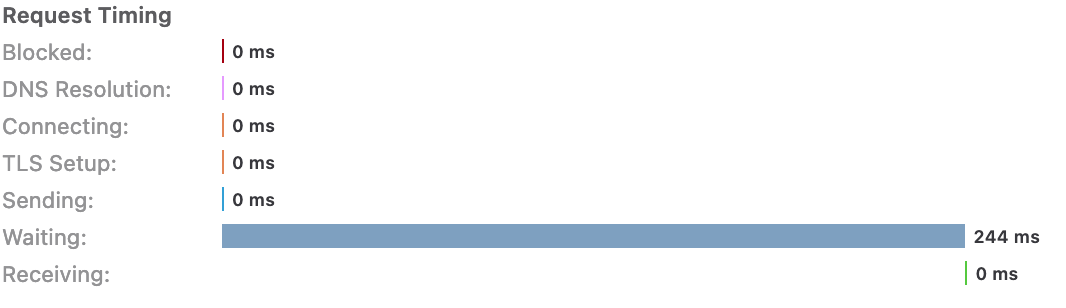
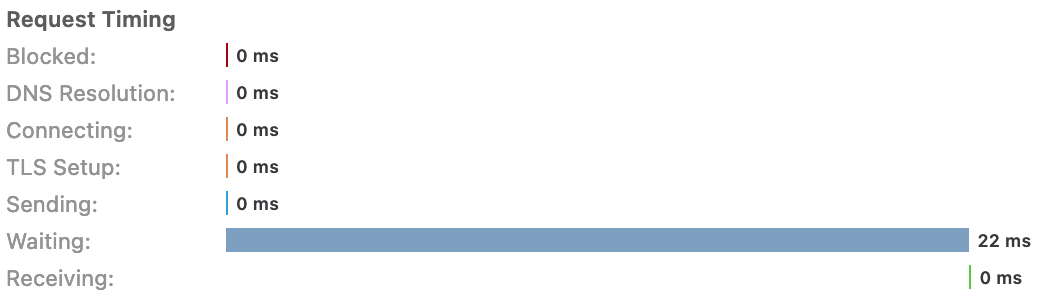
I’m using Cloudflare as CDN for the website; although it does help in the client-side latency (because the client is connected to PoP instead of the origin server), the CDN will need to fetch the data from the origin server, too. This results in an overall waiting time of ~220ms for the first byte to be returned, ignoring the DNS lookup and TLS handshake time.
I then discovered about DNS-based load balancing. Cloudflare offers load balancing at a starting price of $5 and a traffic steering feature that can dynamically steer traffic based on geographic steering policies for an additional $10, making a total monthly bill of $15. It’s too expensive for a small personal website like this.
Luckily, Azure Traffic Manager offers a more affordable plan that scales on the number of DNS queries.
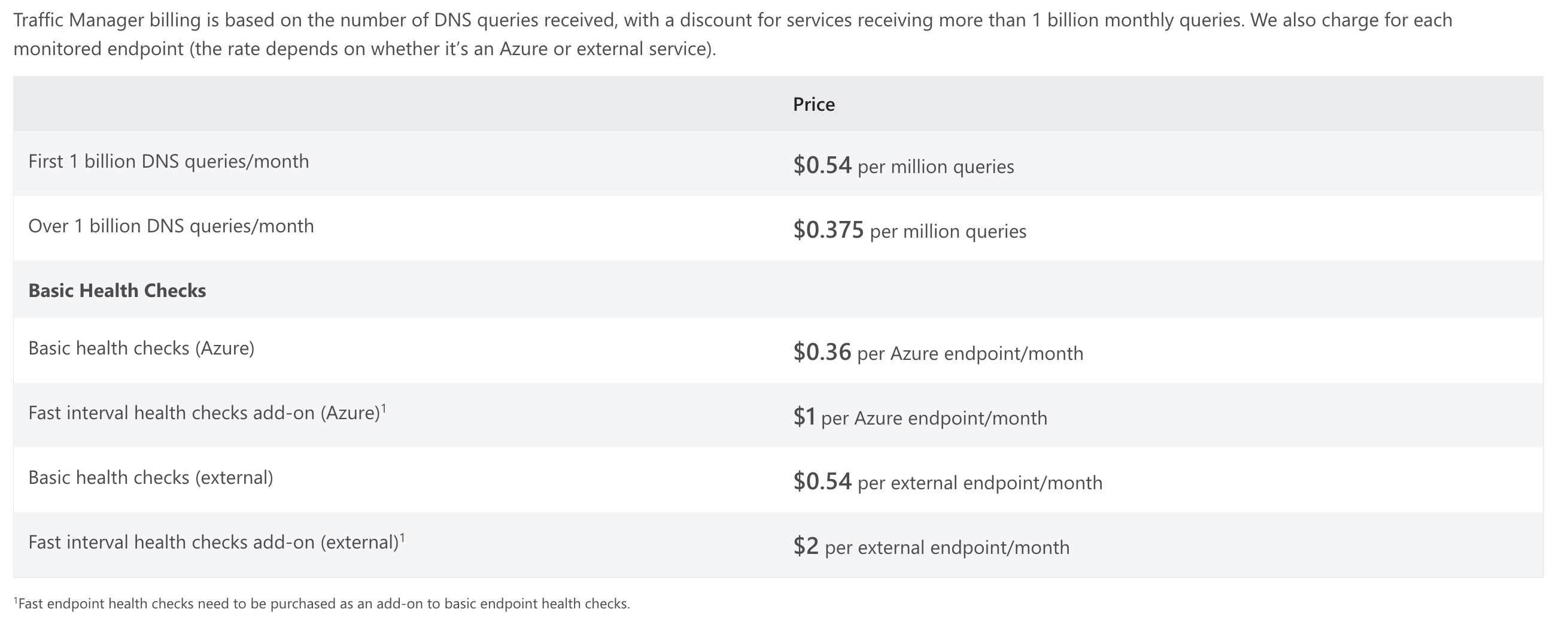
Setting it up was relatively simple:
- Create a Traffic Manager profile.
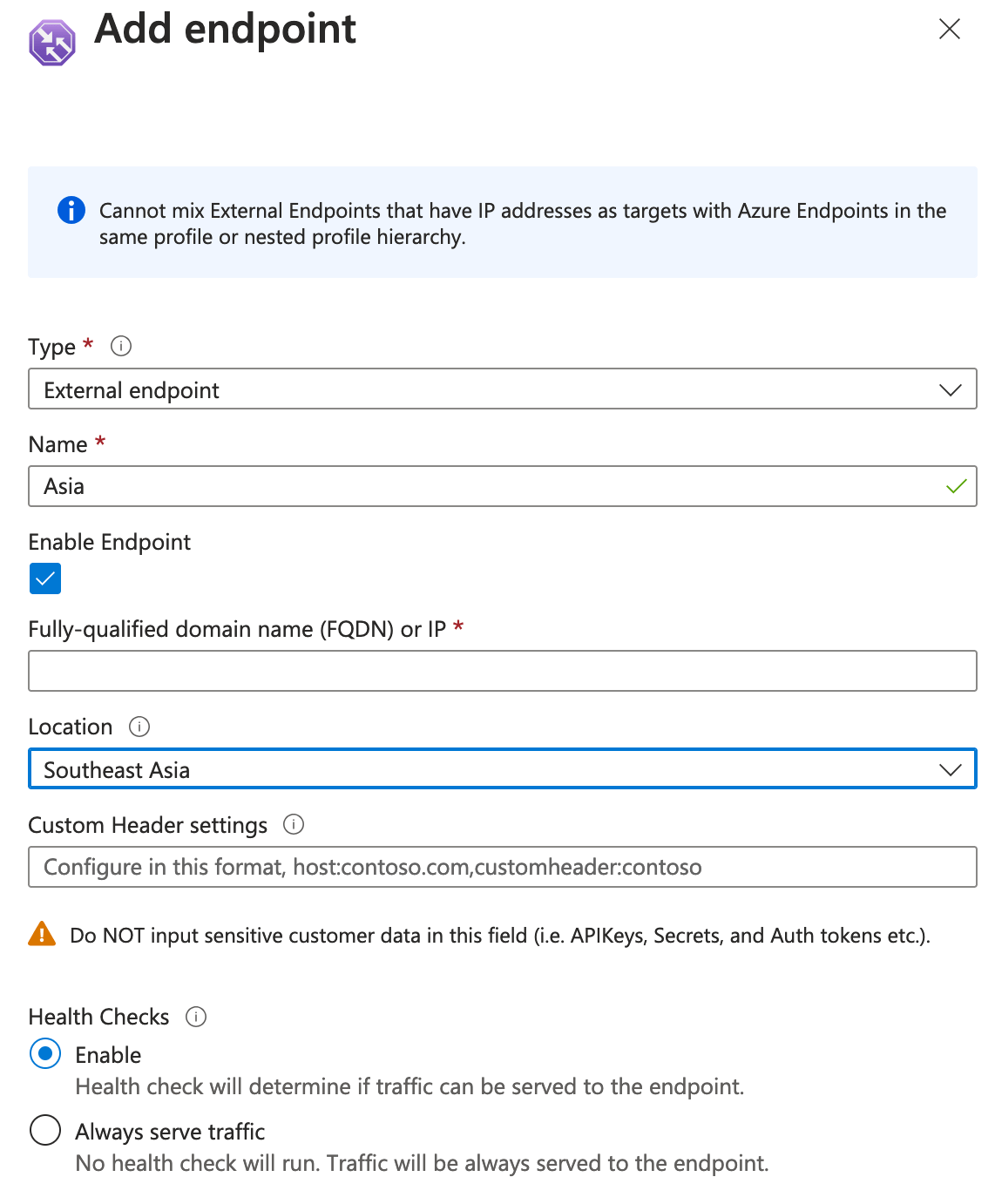
- Add endpoints in Traffic Manager.
- Configure the routing method in Traffic Manager.
- Create a CNAME record for this site that points to Traffic Manager.
Azure Traffic Manager also supports endpoint health checks, which route the traffic to another endpoint if the current one isn’t healthy. This brings high availability (HA) as a “side benefit” to the site. I ended up with 2 endpoints (one in Germany and one in Singapore).
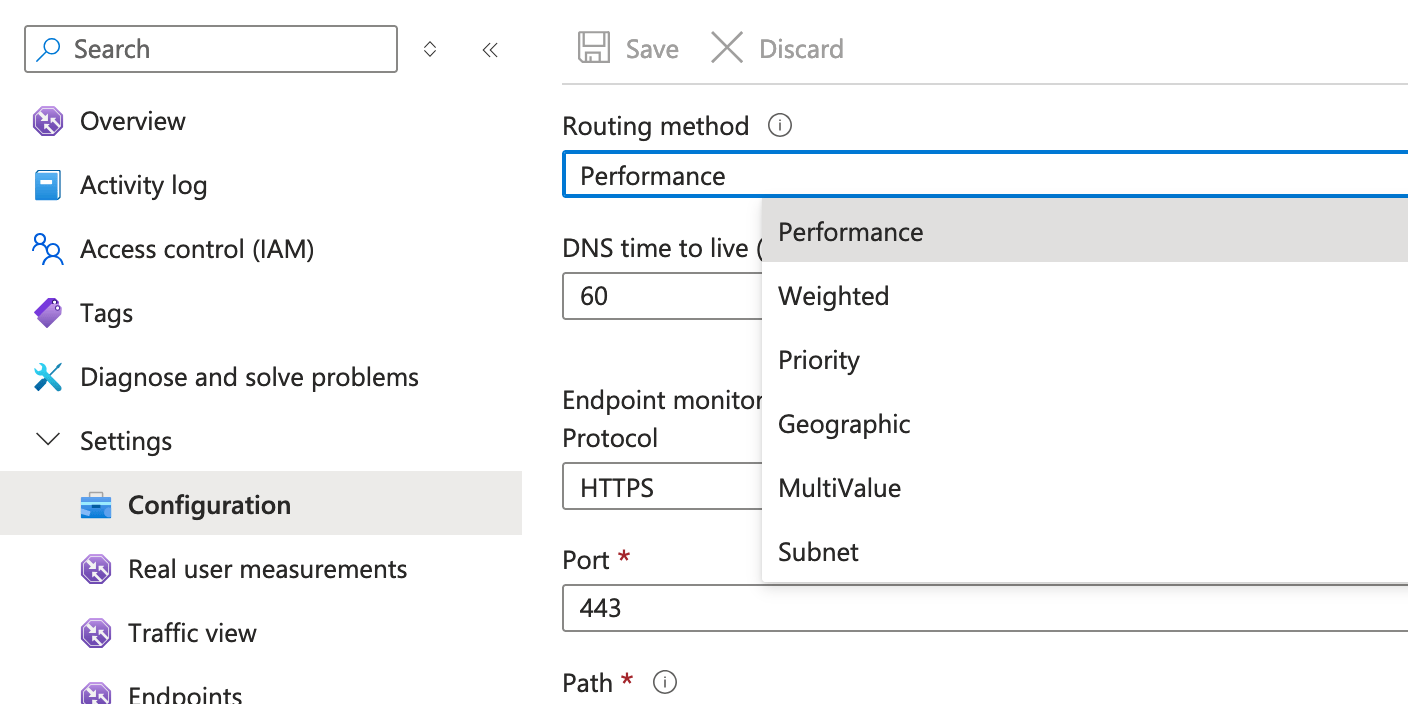
In the routing method, I chose Performance. According to Microsoft:
Performance: Use this method when your endpoints are deployed in different geographic locations, and you want to use the one with the lowest latency.
After setting up everything, the effect is significant.
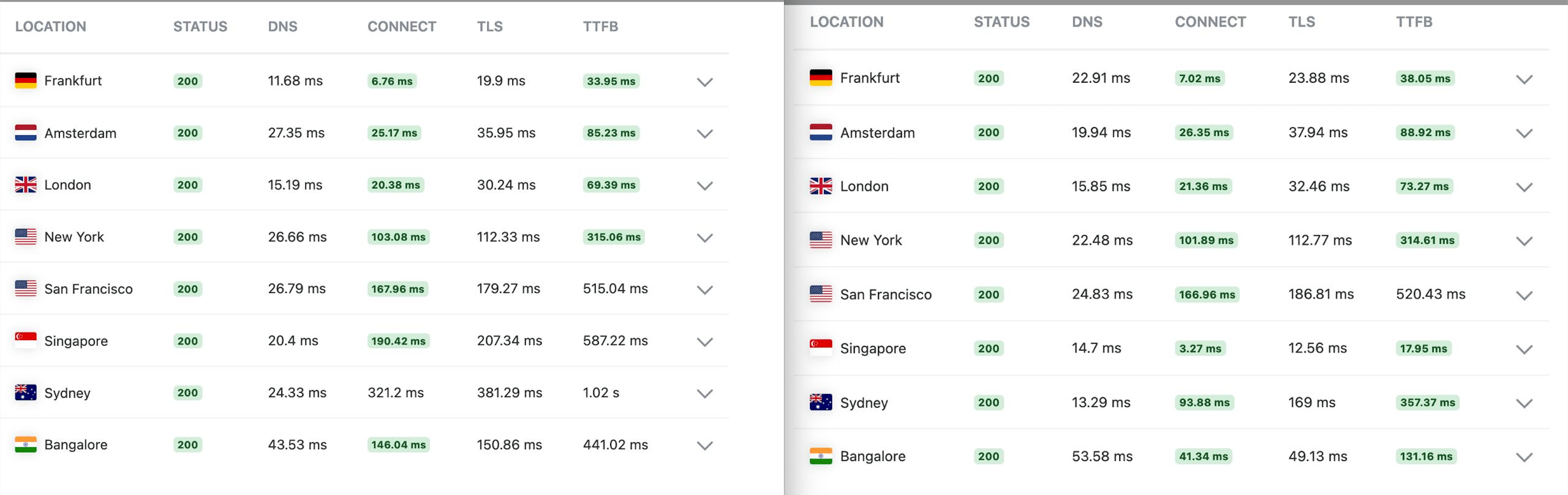
I also ran Performance Test from KeyCDN to see the latency and TTFB from multiple locations around the world. The screenshot on the left is before Traffic Manager, and the screenshot on the right is after. Regions like Singapore and India are pulling the website from the newly added endpoint, while regions like Germany and the UK are pulling from the old one.
Overall, I’m happy with the end result and the cost effectiveness of this solution.